
Layered memory
One repo, every kind of knowledge, no lock-in.
Project knowledge is not one kind of thing. Atomic facts want a graph. Long-form prose wants a wiki. Design specs want a browsable system. Code wants a structural index. Work wants a kanban; sessions, files, and credentials each want a home of their own. Memophant gives each its own tier — split into the knowledge your agents read and the workspace they operate in, all as plain markdown in your git repo.
Knowledge your agents read
Atomic facts you'll want to query, not re-read.
Memories are the smallest unit of knowledge — a decision, a constraint, a gotcha, a relation between two ideas. Each note pairs observations with explicit relations so every fact is searchable, every link is something you authored, and a note can carry the commit it was reviewed against.
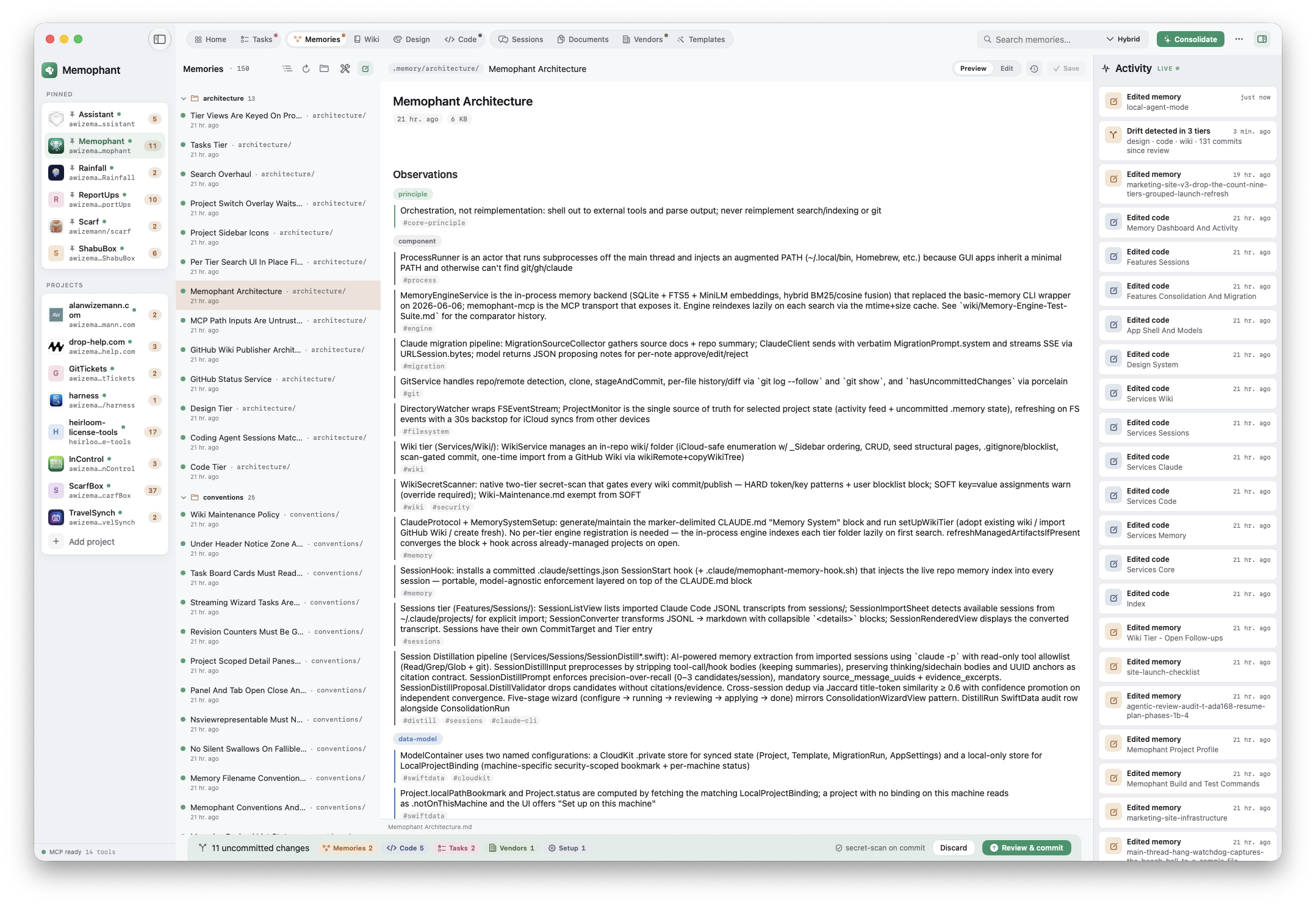
---
title: Auth middleware rewrite
type: note
permalink: memophant/decisions/auth-middleware-rewrite
---

The legacy auth middleware was replaced with a session-token-free design.

## Observations

- [decision] Legal flagged the old middleware for storing session tokens in a way that doesn't meet the new compliance requirements. The rewrite removes server-side session state entirely. #compliance
- [risk] Backwards compatibility with v1 tokens is intentionally not preserved — pre-migration sessions must re-authenticate. #migration

## Relations

- supersedes [[auth-middleware-v1]]
- referenced_by [[release-2026-q3-checklist]]
How to query
- MCP: search_memories, read_memory, write_memory, edit_memory, build_context
- App: ⌘K search, the Memories tier in the sidebar
- Files: plain markdown — grep, awk, your editor of choice
When to write here
Atomic, durable facts that should outlive the session. A decision you made and why. A constraint you discovered. A relationship between two parts of the system. If it would make a future-you grep, it belongs in Memories.
Knowledge your agents read
Prose that needs to flow.
The wiki is for long-form reference: architecture deep-dives, runbooks, design notes, anything that wouldn't compress into atomic observations without losing the throughline. Dashed filenames, internal links by name, a sidebar that you can group however you want.
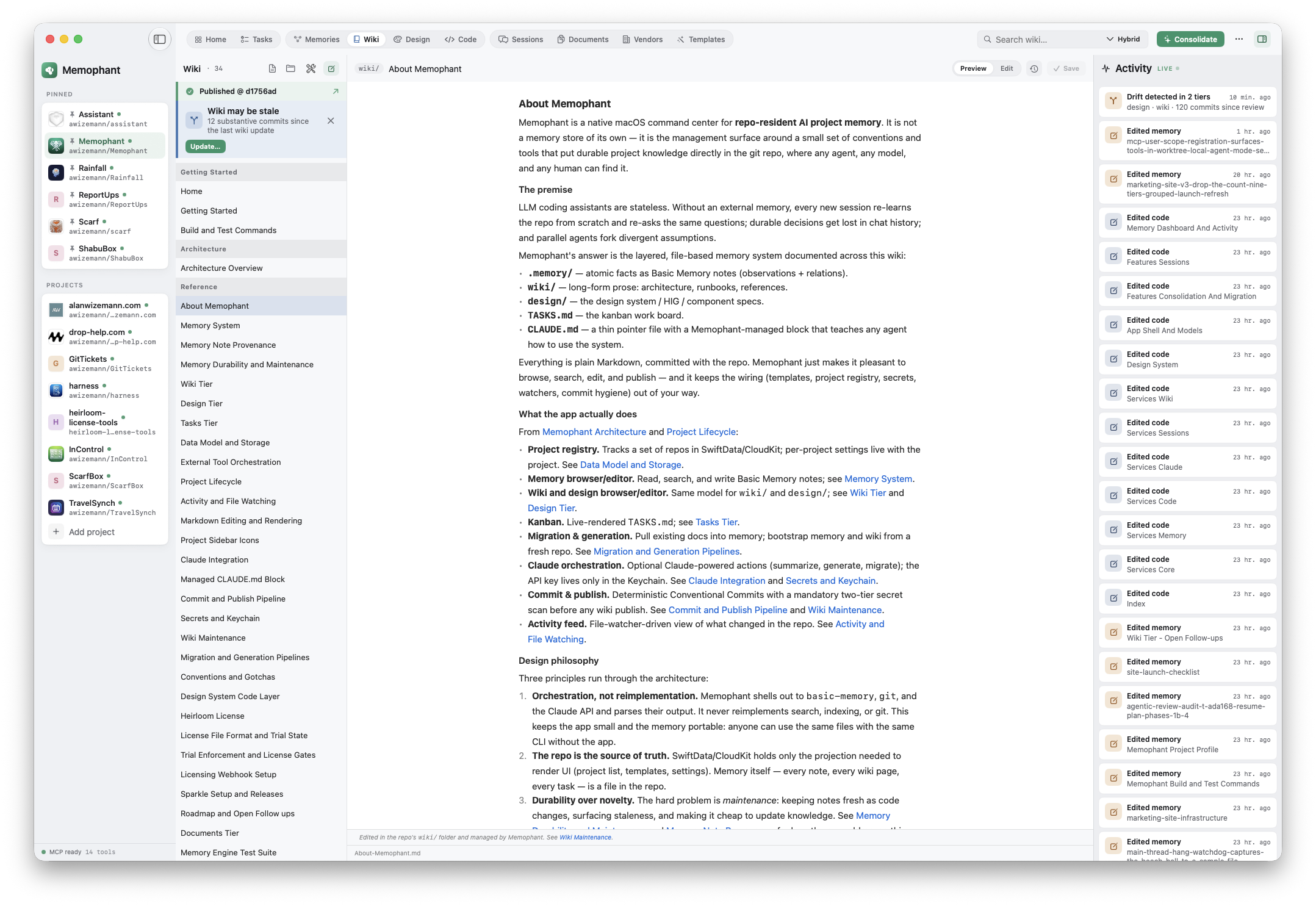
---
title: Architecture-Overview
type: note
permalink: memophant-wiki/architecture-overview
---

# Architecture Overview

Memophant is a SwiftUI macOS app...

- See [Project Lifecycle](Project-Lifecycle) for the add-a-repo flow.
- See [Memory System](Memory-System) for the tier breakdown.
- See [Claude Integration](Claude-Integration) for how the API key flows.

---
_Last updated: 2026-06-02_
How it's organized
- Filenames: dashed (Architecture-Overview.md)
- Links: [Title](Page-Name) — Memophant resolves them in-app
- Home.md is the landing page; _Sidebar.md groups the nav
- In-app GitHub Wiki publishing — optional auto-publish on every wiki commit
When to write here
Anything where the reader needs the throughline. How a subsystem fits together. The walkthrough of a complex flow. The runbook for an incident. Wiki pages are where you'd send a new collaborator; memories are what they'd grep when stuck.
Knowledge your agents read
The one tier that renders your design system, not just stores it.
A robust design tier turns 'what color should this be?' from a vibe-check into a lookup — because the file renders itself. Hex tokens become live color swatches; fenced blocks become a working type scale, spacing bars, and radius and elevation samples. The one-shot 'Generate Design System' distills your design notes and repo into a canonical design.md written in those same conventions — so the moment it lands, it renders. A head start no rules-file or cloud tool has.
Generate Design System runs on Claude — it needs your own Anthropic API key (kept in your Keychain). The live render, browsing, and editing all work without it.
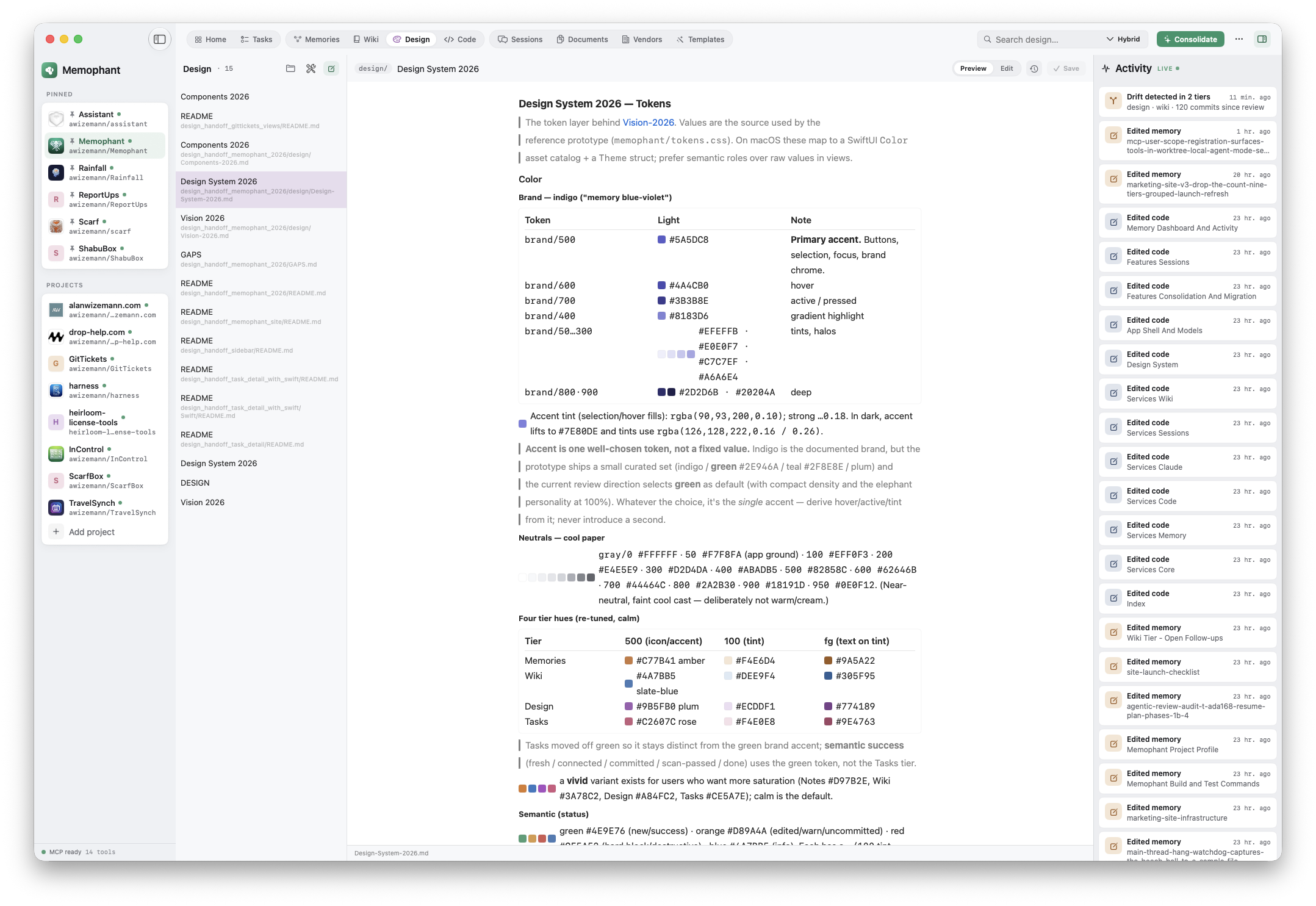
# Color — Pine (accent)

The single confident accent. Everything else stays restrained neutral.

- Pine 600 · #2E946A — primary actions, focus, links
- Pine 700 · #27805B — hover
- Pine tint · #DCEFE4 — selection, badges

## Type scale

```type
Display · 40/600 · Section heroes
Title   · 22/600 · Card + sheet headers
Body    · 14/400 · Reading text
Caption · 12/500 · Labels, metadata
```

In the app these don't stay as text: the hex lines render as live color
swatches, and the `type` block renders as a real typographic scale.

## Spec

- Radius: pill (--radius-pill)
- Padding: 2.5/1 (sm/sm)
- Type: 12px medium, --tier-{slug}-fg
- Background: --tier-{slug}-tint
What makes it different
- Hex tokens render inline as live color swatches
- Fenced blocks → type scale, spacing bars, radius + elevation samples
- Generate Design System — distills your notes + repo into a design.md that renders itself
- The live render is gated to the design tier — code, wiki, and memory stay plain text
When to write here
Before you build a new UI component, write the spec. Before you change a token, document the why. The design tier is what stops the design system from drifting from a coherent voice into a soup of one-off choices — and the live render means you actually see it.
Knowledge your agents read
A queryable map of your symbols.
The code tier has two halves. Curated markdown overviews in code/ give a session orientation — module purpose, key types, public surface. An indexed SQLite map under .memophant/code/ answers structural questions fast (Swift today; JavaScript/TypeScript, Python, Go, and React coming). The search_code MCP tool is what an agent reaches for instead of grepping; a generated memophant code CLI answers the same questions from your shell.
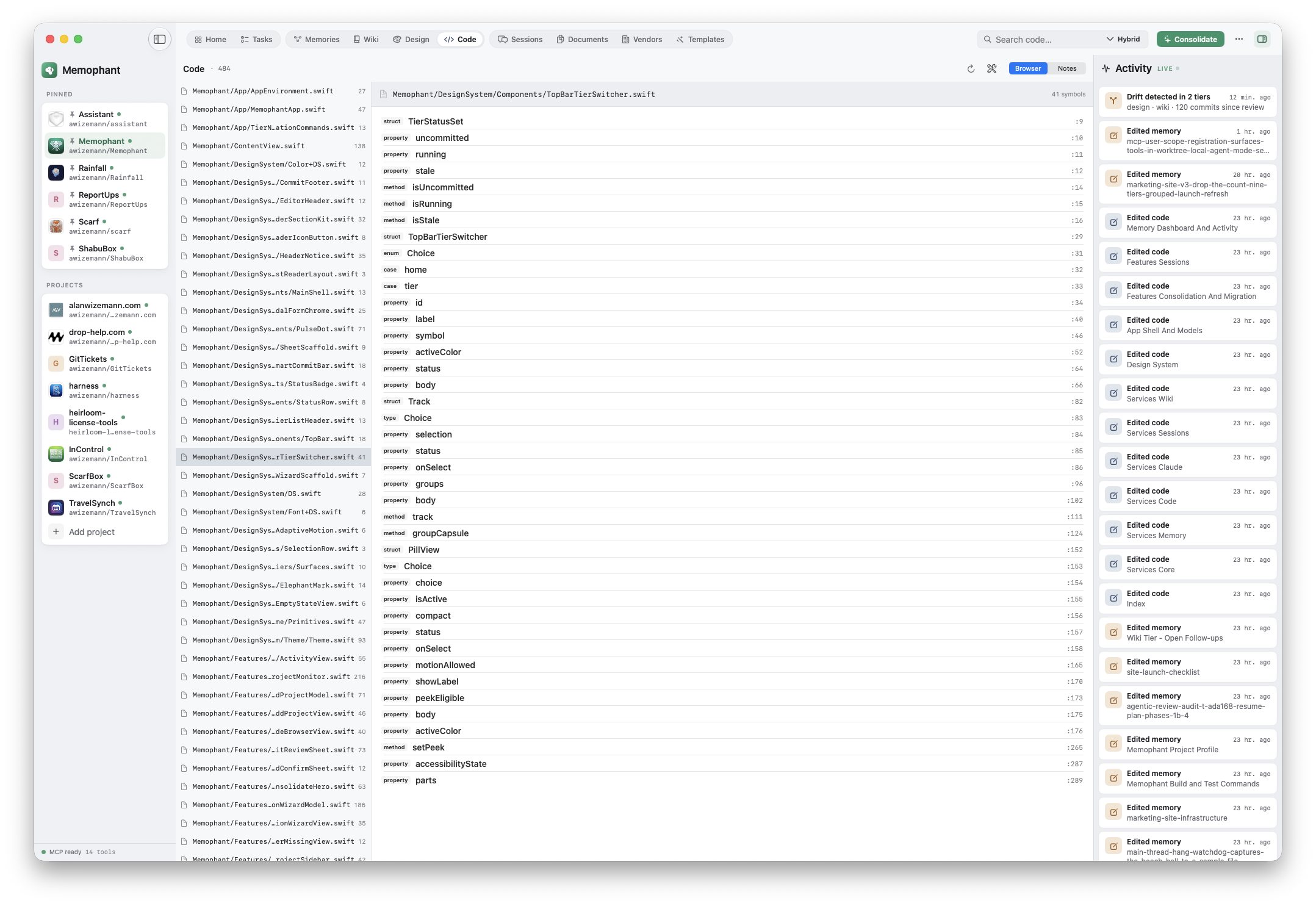
$ memophant code find ConsolidationPlanner
Memophant/Services/Consolidation/ConsolidationPlanner.swift:14
  struct ConsolidationPlanner
Memophant/Services/Consolidation/ConsolidationPlanner.swift:212
  extension ConsolidationPlanner

$ memophant code refs ConsolidationPlanner
Memophant/Services/Consolidation/ConsolidationWizardModel.swift:88
  let planner = ConsolidationPlanner(repoRoot: root)
Memophant/Tests/ConsolidationPlannerTests.swift:11
  func test_planner_dedup() { ... }

$ memophant code status
files: 165
symbols: 6810
schema_ver: 2
CLI verbs
- memophant code find <Symbol> — where is it defined?
- memophant code refs <Symbol> — what references it?
- memophant code outline <path> — symbol tree of one file
- memophant code imports <path> — what a file imports (importers = the reverse)
- memophant code search "<text>" — FTS over indexed symbols
- memophant code status — index health
Why it exists
Memories and wiki capture what the code means. The code tier captures where the code is. Together they let an AI session resolve “fix the auth middleware” without re-reading every Swift file — the symbol query goes straight to the file, the memory query goes straight to the decision.
The workspace they operate in
Forward-looking work, in your repo.
TASKS.md is a kanban in plain markdown. Three sections — Todo / Doing / Done — each a checklist. Move items between sections; Memophant renders the same file as a live board with drag-drop, status edits, and (optional) Claude-powered planning and execution per task. Your AI sessions read it; your future self reads it; git reviews it like any other file.
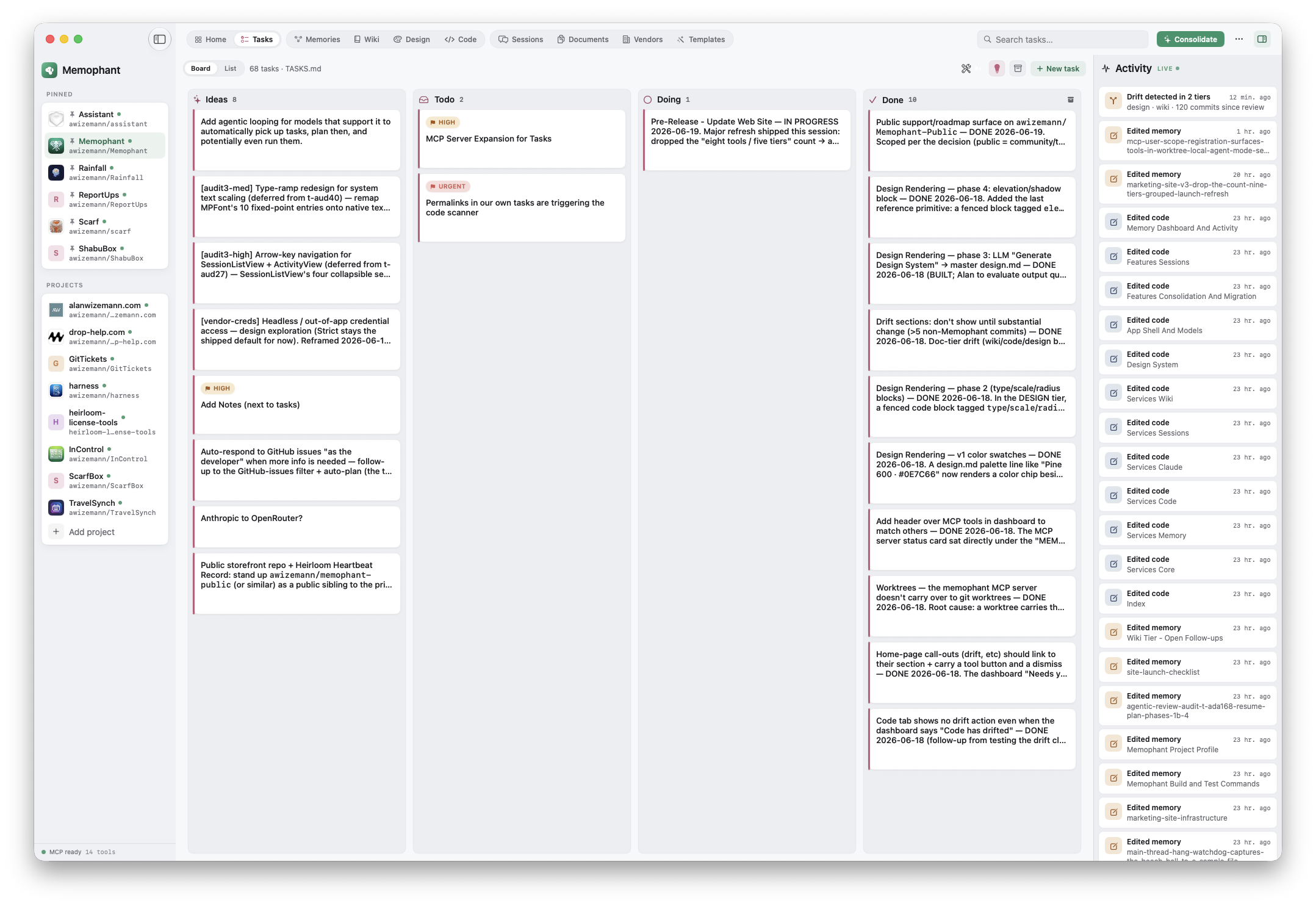
## Todo

- [ ] Tasks: add the ability to archive tasks (added: 2026-05-31)
- [ ] Public storefront repo + Heirloom Heartbeat Record (added: 2026-06-02)
- [ ] Documents tier: in-document text + PDF search (added: 2026-06-18)

## Doing


## Done

- [x] Memory Engine Phase 5 — memophant-mcp stdio server + capture-replay loop
- [x] Sessions tier — collect Claude Code chat transcripts into the repo
What you can do with it
- Drag to move between Todo / Doing / Done / Archived
- Plan with Claude — generates a plan stored in tasks/<id>.md
- Run with Claude — streams Claude output against the task
- Import from memory — promote a [todo] note to a real task
- Import from GitHub Issues — pull open issues into the board
When to write here
Anything forward-looking. Tasks are about what you'll do next; memory is about what you decided last. The boundary keeps memory free of stale to-dos, and keeps the board free of past decisions that don't need re-doing.
The workspace they operate in
The transcripts your memory is made from.
Memophant imports your Claude Code transcripts — including Desktop's local agent sessions — into the repo, converting each JSONL run to readable markdown with collapsible tool calls, preserved thinking, and per-message UUID anchors. Then it distills them: precision-first proposals for durable memory, each grounded in the message that produced it, deduped across the sessions in a run.
Distillation runs on Claude — it uses the Anthropic API, so it needs your own key (kept in your macOS Keychain). Importing and reading sessions works without it.
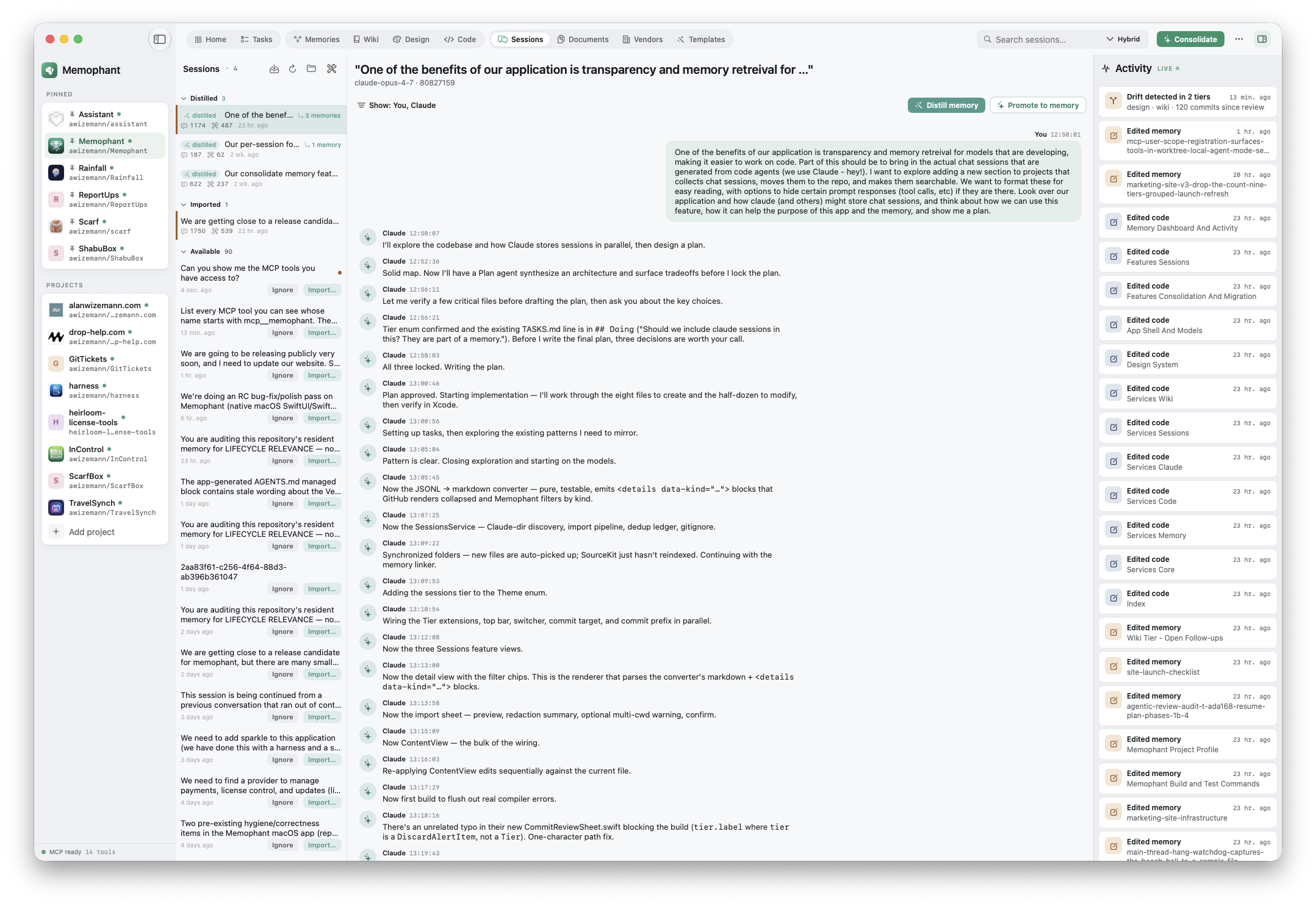
---
session_id: 2026-06-12T14-03-claude-code
cwd: ~/Developer/Memophant
message_count: 218
tool_call_count: 47
---

## ⏵ user
Why did we drop basic-memory for an in-process engine?
<!-- uuid: 5f2a90c4-…-c41 -->

## ⏵ assistant
We replaced the Python basic-memory server with a pure-Swift
engine — system SQLite + NaturalLanguage, no AGPL dependency
and no subprocess to babysit.
<!-- uuid: a3f1e208-…-e08 -->

<details><summary>🔧 search_memories · "basic-memory"</summary> … </details>
What you can do with it
- Auto-discovered from ~/.claude/projects, attributed by cwd
- Distill — propose memory from a session, approve note by note
- Dedup within a distill run so the same lesson isn't captured twice
- Cost-guarded — a token cap keeps a long transcript honest
Why it exists
A session is where the learning happens and where it's usually lost. Keeping the transcript in the repo — and distilling it on your terms — is how an insight from Tuesday's debugging marathon becomes a durable note the next session reads on open.
The workspace they operate in
A home for the files that don't fit a tier.
Not everything is a note. Launch plans, audit PDFs, exported reports, screenshots, CSVs — the Documents tier is a per-project file store with nested folders, versioned in git alongside your memory. Any file type is welcome; Memophant tracks it, shows it in the uncommitted-changes bar, and keeps it out of the tiers that expect markdown.
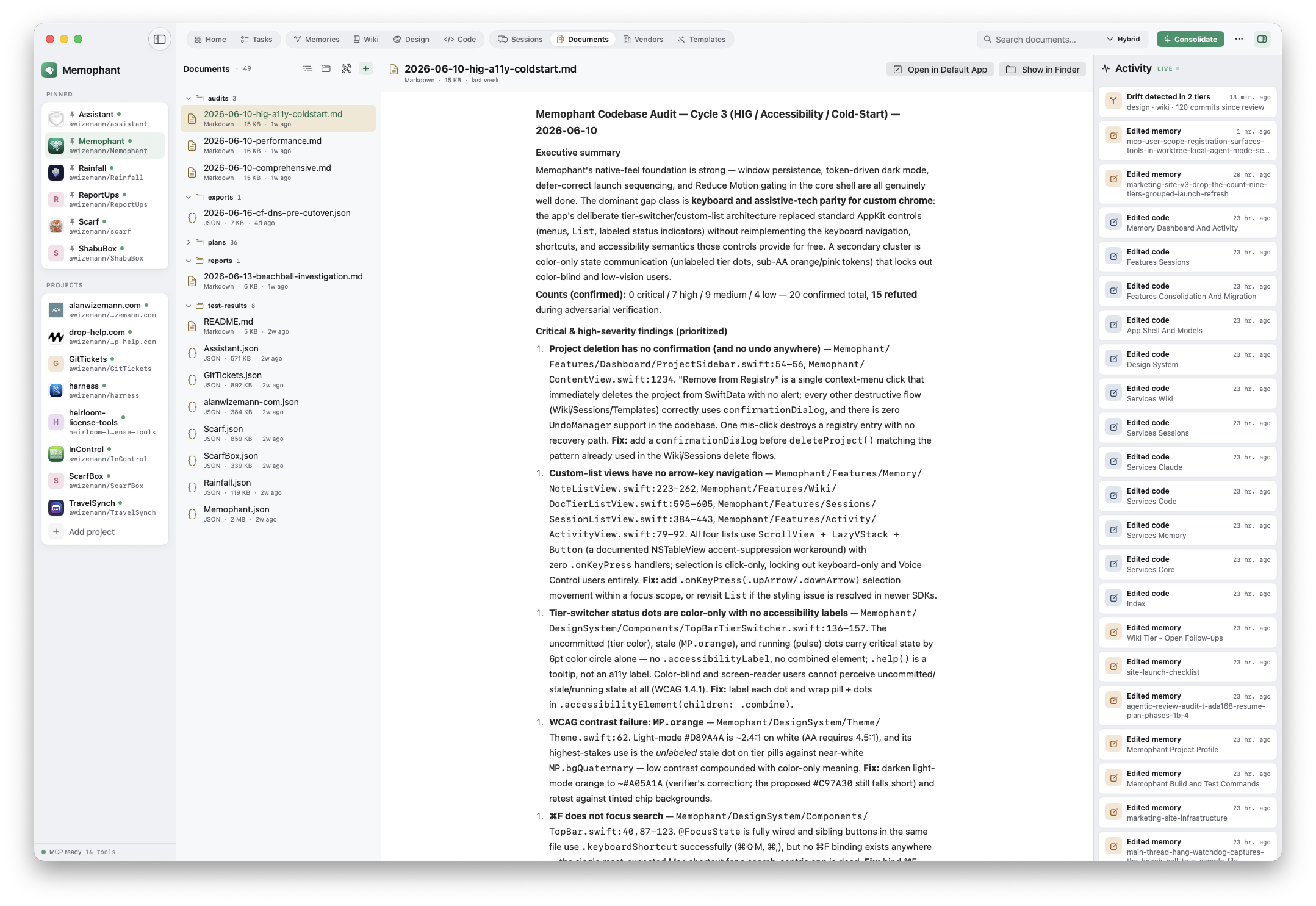
documents/
  plans/
    2026-q3-launch-plan.md
    paddle-integration.md
  audits/
    swift-perf-audit-2026-06.pdf
    accessibility-pass.md
  exports/
    memory-graph-snapshot.json
What lives here
- Any extension — PDFs, images, CSVs, JSON, source, archives
- Nested folders (plans/, audits/, exports/) or a flat list
- Add via picker, reveal in Finder, delete with confirm
- Filename search today; in-document text search on the roadmap
When to use it
When the artifact matters but isn't a fact to query — the signed contract, the perf-audit PDF, the design export. Keeping it in the repo means it travels with the project and a clone, instead of rotting in a Downloads folder no agent can reach.
The workspace they operate in
A credential registry that keeps secrets out of the repo.
Every project accretes accounts — the email API, the payments processor, the analytics key. The Vendors tier records each as a markdown note (login URL, username, cost, notes), while the secret itself lives only in your Keychain. Agents use those secrets safely: get_vendor_credential to fetch one, set_vendor_credential to store a key they just minted — and every call pops a native approval prompt you have to click. The secret never touches the repo or a log — and there's no Memophant server for it to reach. We run no storage for your data: it's all yours, on your Mac, your GitHub, and your iCloud Keychain.
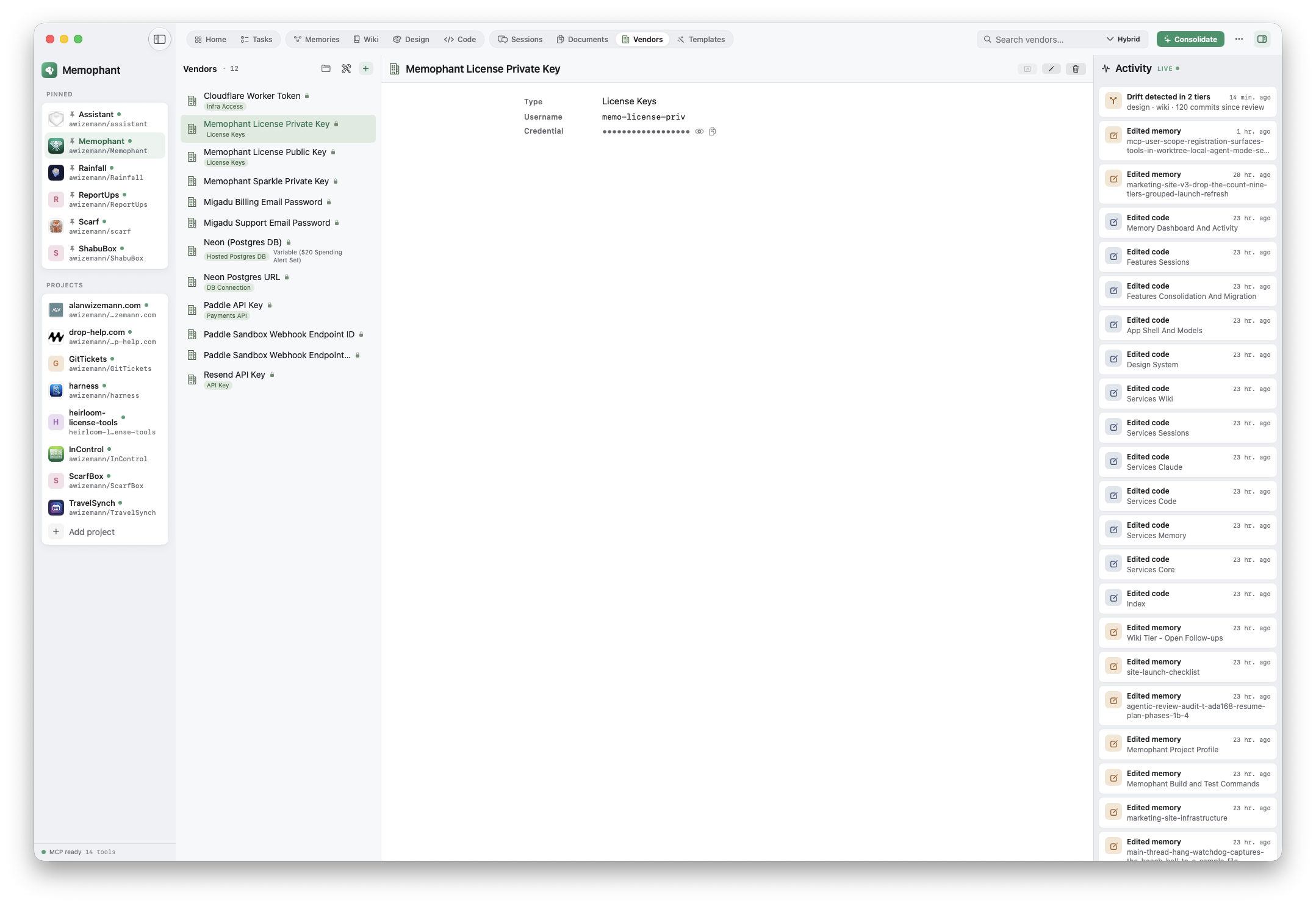
---
name: Resend
type: email
login_url: https://resend.com/login
username: alan@wizemann.com
keychain_ref: resend
monthly_cost: 20
tags: [transactional, email]
---

## Notes

- Sends wiki-publish notifications and license-delivery email.
- The API key lives in the macOS Keychain — reveal it from the
  Vendors tier. It is never written into this file.
How it protects you
- Source of truth is your iCloud Keychain — synced across your Macs by Apple, never leaving your devices
- The note holds only a keychain_ref; reveal / copy in-app, masked by default
- Agents read + write via MCP — each get/set call needs your one-click approval
- Headless/CI sessions can't auto-approve; a verification phrase you set marks the real prompt
- Secret-scan on save blocks known key shapes from ever landing in the note body
When to write here
The moment you (or an agent) create or encounter a credential. Instead of a key pasted into chat history or a .env that drifts, the account is documented where the whole team can find it — and the secret is somewhere safe to fetch from, on your terms, without ever leaving your Apple devices.
The workspace they operate in
Starter kits your agents apply with a slash command.
A template is a repeatable setup captured as a folder: a manifest with prerequisites, steps, variables, and verification, plus any real files it ships (a .env.example, a schema, a stub). Run /memophant-template in your agent and it reads the manifest, confirms the prerequisites, walks the steps, and runs the verification — turning tribal setup knowledge into something an agent can execute.
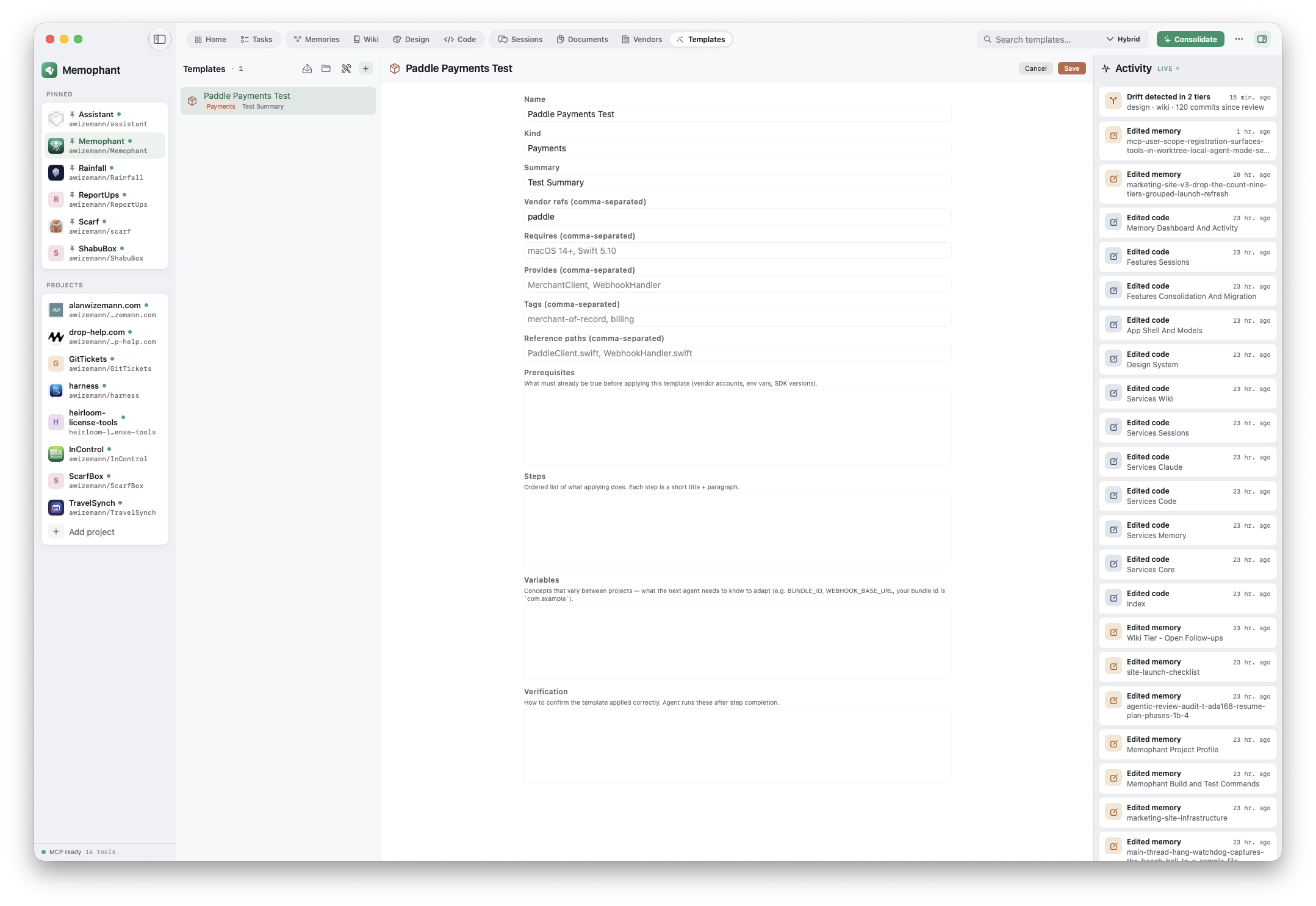
---
name: Cloudflare Worker + D1
slug: cf-worker-d1
vendor_refs: [cloudflare]
---

## Prerequisites
- A Cloudflare account (see the `cloudflare` vendor)
- wrangler CLI installed

## Steps
1. `wrangler init {{ PROJECT_NAME }}`
2. Create the D1 database and bind it in wrangler.toml
3. Apply the schema from templates/schema.sql

## Variables
- PROJECT_NAME — the worker name
- DATABASE_ID — output of `wrangler d1 create`

## Verification
- `wrangler dev` serves locally
- `curl /health` returns 200
How it works
- Folder per template: manifest.md + optional files + README
- Four canonical sections — Prerequisites, Steps, Variables, Verification
- /memophant-template <description> — an agent convention wired through AGENTS.md
- Placeholder-tolerant secret-scan; real credentials still hard-block
When to write here
When you've set the same thing up twice. The third time should be a slash command. Templates can reference vendors, so the agent knows which credentials a setup needs before it starts.
One repo. Every tier. Every session, fully equipped.
The tiers aren't silos — they cross-link. A memory note can reference a wiki page; a wiki page can reference a code symbol; a task can link back to the decision that prompted it; a template can require a vendor. Memophant keeps the wiring out of your way and lets you write in the right place.